Designed for users of Traktor, the DJ software from Native Instruments. A central hub that lets the leading DJ programs exchange playlists, and the hundreds of hours of work it takes to build them.
Import your collections into Traktor, or take your Traktor collection out to the others and to a Pioneer CDJ USB key, with hot cues, loops, beatgrid, keys, waveforms and artwork. A true Swiss army knife for managing your music.
Windows 10 / 11. Mac and Linux: see the guide.
Traktor Bridge works alongside Traktor. It is not a DJ program: it does not mix, and it does not replace Traktor, rekordbox, VirtualDJ, Serato or Mixxx, which are complete programs for mixing, effects and library management. It does the part in between, and it can also work on its own.
You prepare in Traktor, VirtualDJ, Serato or Mixxx, and the booth has Pioneer players. Traktor Bridge takes your playlists and cue points as they are and writes the key the players expect. Your preparation goes to the gig without being redone.
Everything you prepared, the way you prepared it.
Hot cues 1-8 land on pads A-H, loops stay loops, memory cues keep their names. Hot cues are coloured on the player.
Your grid and BPM as you set them, so sync and quantize behave on the CDJ like in your prep.
The keys from your collection, shown next to the BPM, in Classical, Open Key or Camelot notation.
Colour overview and scrolling waveform on the player screen, like tracks prepared in any other DJ software.
The cover of each track shows on the player while you browse.
The tree you built stays a tree. Ratings, colours, comments and genres follow.
No other DJ software needed: start from a music folder and get a ready key.
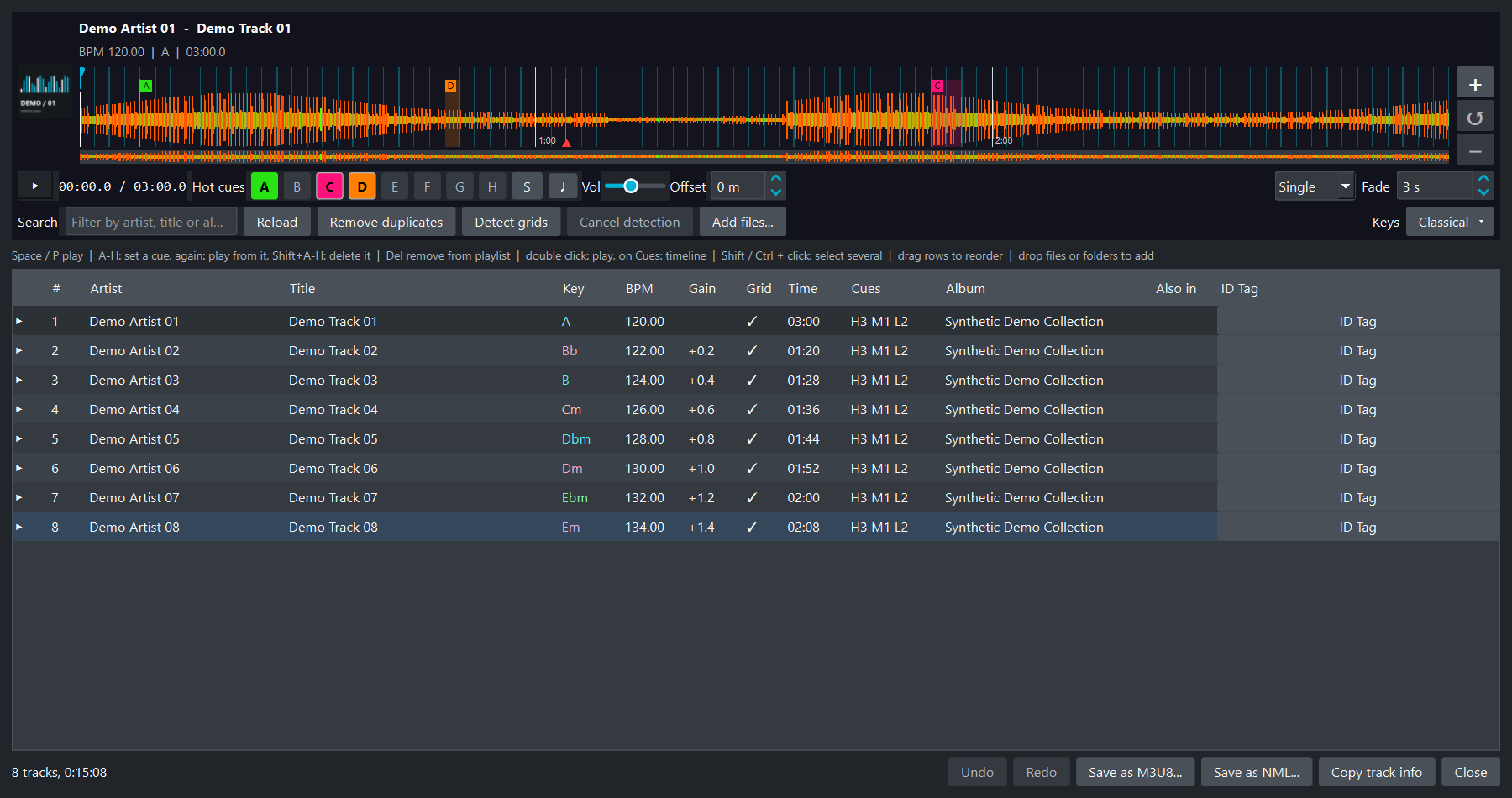
Create playlists from your music library, drop files or folders on them, sort, filter and reorder by drag and drop. Undo and Redo step back through your edits, and the ID Tag editor changes the metadata.
Hot cues, memory cues and loops with the keys A-H. Press once to set a cue at the needle, again to play from it. It works on a silent track too.
Drag the letter of a cue on the waveform to move it. Shift snaps it to the beat, Esc cancels, Ctrl+Z undoes.
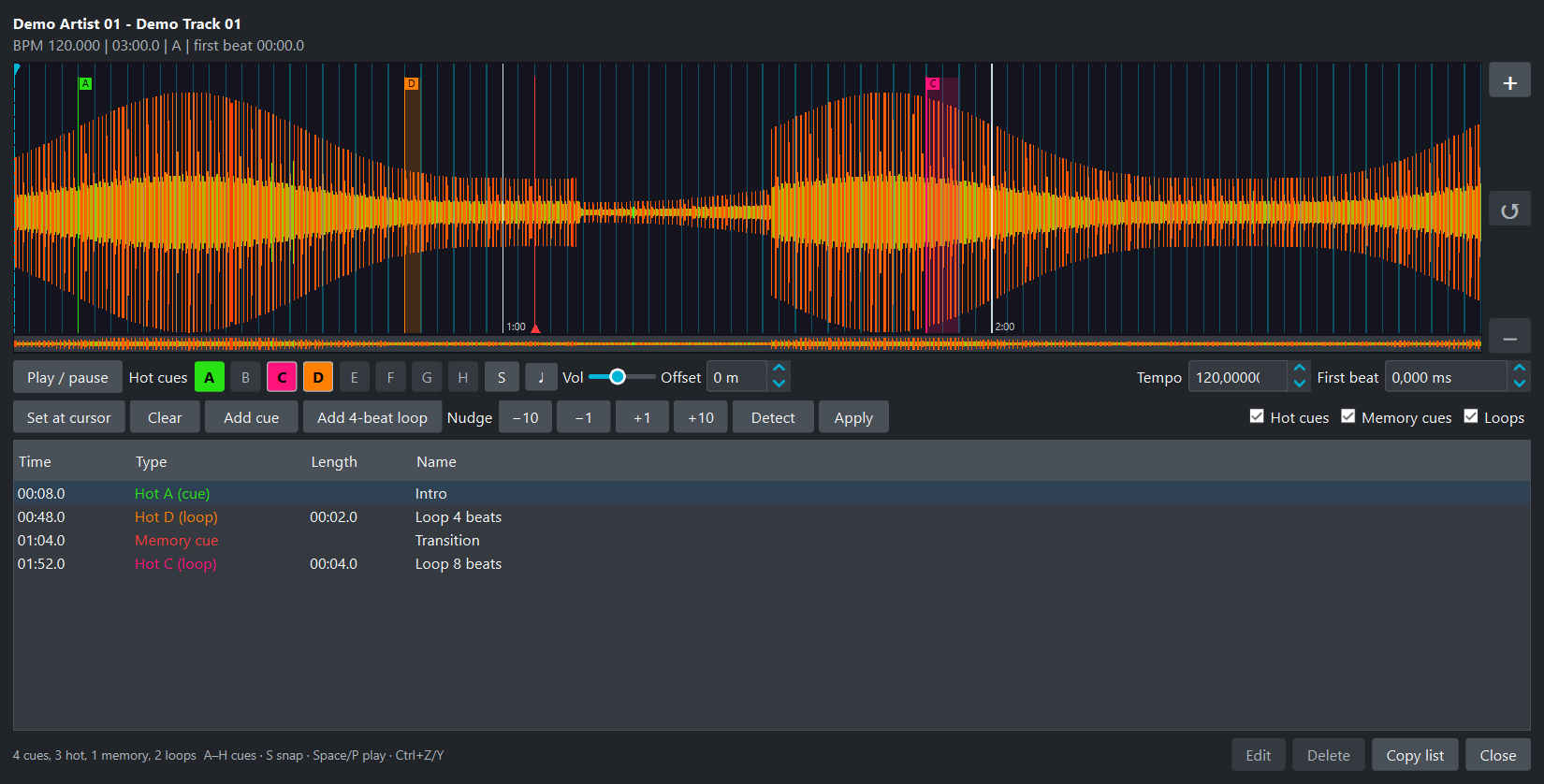
Zoomable waveform, scrub bar, exact times, names, hot cue slots, loop length and one-click 4-beat loops. The grid can be detected, nudged and checked with a metronome.
Save your work as a JSON project: playlists, order, paths, cues, beat grids and settings. Open it again whenever you want.
A built-in player with the waveform and the cue pads, to check a playlist before it goes on the key.
Format it, copy to it, check it, eject it, back it up. All from the program, and nothing leaves your computer.
Formats any USB key as FAT32 the way the CDJ and XDJ read it, whatever it was before (Mac, Linux, NTFS, exFAT, more than 32 GB). Only USB and SD drives are offered, never your system disk, and it asks before erasing.
The next track is read while the previous one is written. Tracks already on the key are skipped, and their cues are still updated. The analysis is cached and uses several cores. Speed and time left are shown.
A SHA-256 of every file is computed while copying, then the key is read back from the drive itself and compared. The checksums stay on the key: Verify an export checks it again before a gig.
Files are written under a temporary name and renamed, so a cut or a pulled key never leaves a half-written file. The database and analysis files are checked before they are published. A damaged copy is rewritten by the next export.
A CDJ can update the database and analysis files on a key. When you verify it later, those files are reported as modified, not as damaged. Changed audio or missing files are still flagged.
When it is done, the program offers to flush and eject the key, so you can unplug it without a warning.
Save your playlists with their audio in one ZIP, with a checksum file. You can verify the ZIP and restore it into a new folder.
Quick checks read the headers, Full checks decode the whole file. Nothing is changed. It does not scan for viruses: it only tells you if ClamAV is installed.
Your music, playlists and cues stay on your computer. No telemetry, no account, no upload. Everything works offline.
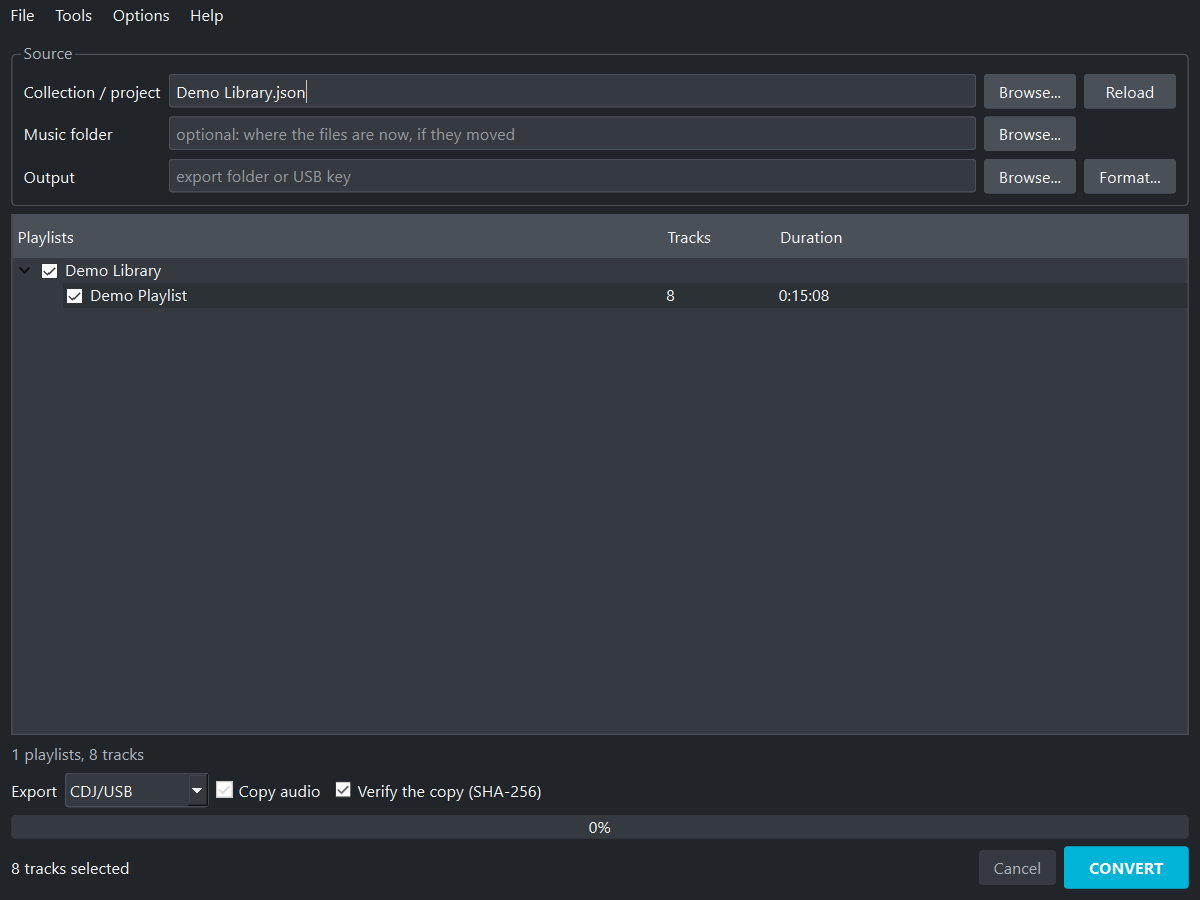
Collection, music folder, output, playlists, convert.
If your files moved since your DJ software last saw them, point to the folder where they are now: missing tracks are found by name. Tools > Check collection lists what is still missing and lets you relocate it.
Double click a playlist: preview player with the waveform and cue pads, sort, filter, drag to reorder, remove tracks.
The cue timeline shows every hot cue, memory cue and loop, and lets you move, rename or delete them. What you change there goes onto the key.
Bring your playlists from where they are, take them where you play.
Traktor, rekordbox, VirtualDJ, Serato DJ, Mixxx, M3U playlists, a folder of music
Pioneer CDJ USB key, rekordbox, Traktor, M3U playlists
Audio files: MP3, AIFF, WAV, FLAC, OGG, M4A.
Tested on the CDJ-2000NXS2. Players that read rekordbox USB keys should read it too. Tell me how your player behaves.